 Star Repo
Coupon codes issue
Forum rules
Always add your Aimeos and PHP version as well as your environment (Linux/Mac/Win)
Spam and unrelated posts will be removed immediately!
Always add your Aimeos and PHP version as well as your environment (Linux/Mac/Win)
Spam and unrelated posts will be removed immediately!

Coupon codes issue
I am trying to handle coupon codes, but unable to create it admin.
I followed this tutorial
https://www.youtube.com/watch?v=b3p3GT7UlBQ
and this:
https://aimeos.org/docs/2025.x/manual/coupon-details/
But I am getting an error that can be seen on the bottom right of the screenshot:

Also I can see in the video that the user entered the rebate value as {"EUR":"10"}, but if I do that, then I get an error saying that the value must be string and not array.
Any link or help so I could get things going again?
I followed this tutorial
https://www.youtube.com/watch?v=b3p3GT7UlBQ
and this:
https://aimeos.org/docs/2025.x/manual/coupon-details/
But I am getting an error that can be seen on the bottom right of the screenshot:
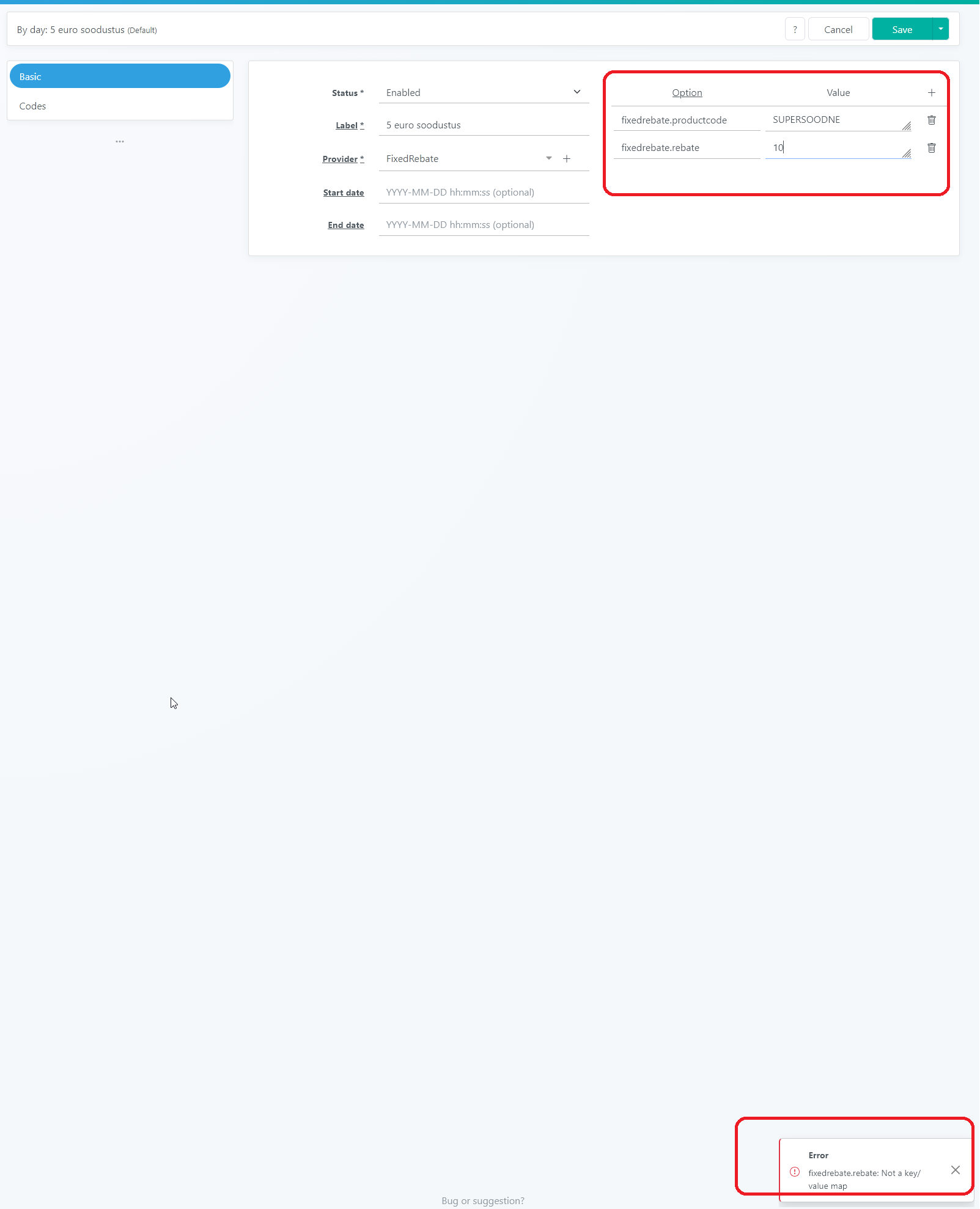
Also I can see in the video that the user entered the rebate value as {"EUR":"10"}, but if I do that, then I get an error saying that the value must be string and not array.
Any link or help so I could get things going again?

Re: Coupon codes issue
The fixed.rebate field is defined as a currency/value map for the admin backend. If you click on the value field, a key/value line and/or a "+" button should appear below. You can see it here:
https://admin.demo.aimeos.org/admin/def ... ?locale=en
You can not enter a value directly into the initial input field as it's only used for displaying the result, e.g.
If it doesn't work for any reason, check if there's a JS error in the browser console.
https://admin.demo.aimeos.org/admin/def ... ?locale=en
You can not enter a value directly into the initial input field as it's only used for displaying the result, e.g.
Code: Select all
{"EUR": "10.00"}Professional support and custom implementation are available at Aimeos.com
If you like Aimeos, give us a star
If you like Aimeos,
give us a starRe: Coupon codes issue
Well, I tried on your admin panel.
Could not do it.
Here is the screenshot.
Yes, if I click on the already existing value, then the + sign appears, but if I delete it and re-add it, then the + sign does not appear.
Is the browser important here? I am using Firefox.
Only error in the console is:
This error does not seem to be related to the issue at had.
Could not do it.
Here is the screenshot.
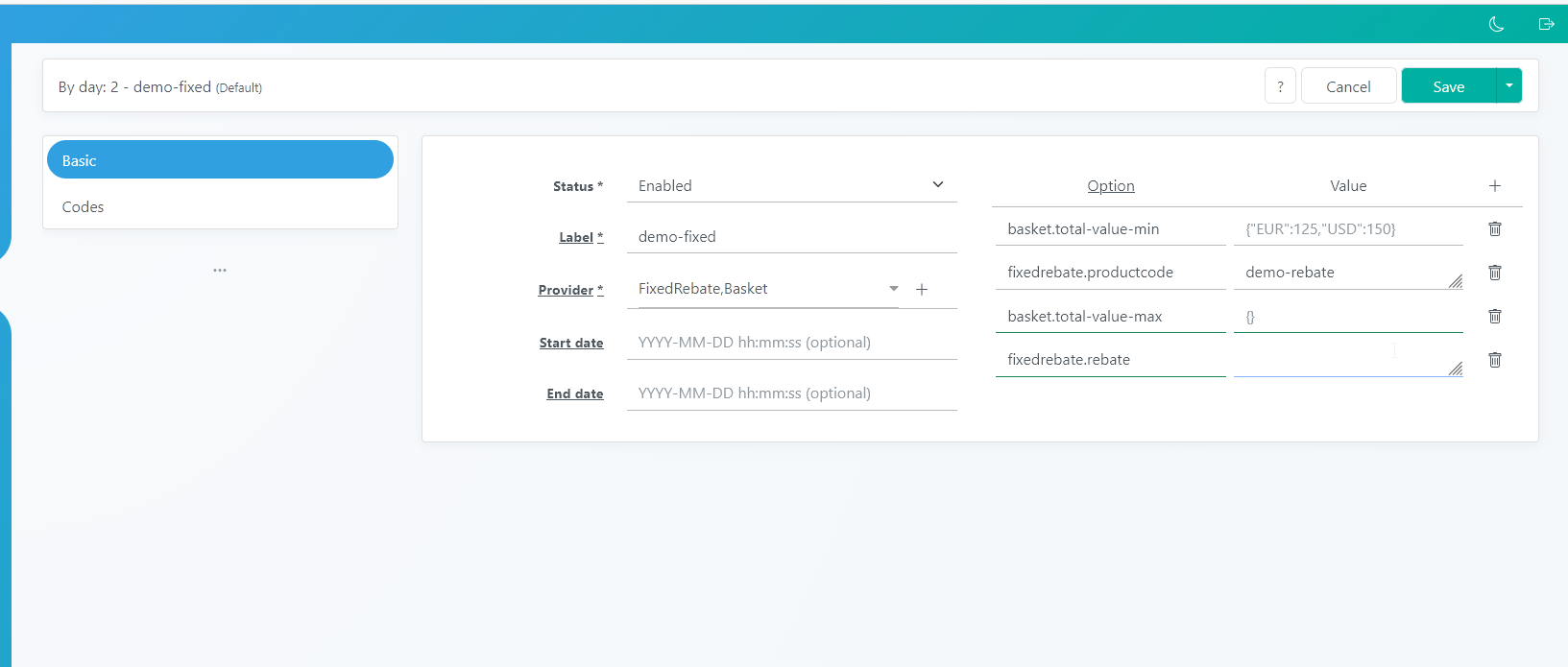
Yes, if I click on the already existing value, then the + sign appears, but if I delete it and re-add it, then the + sign does not appear.
Is the browser important here? I am using Firefox.
Only error in the console is:
Code: Select all
Content-Security-Policy: The page’s settings blocked an inline script (script-src-elem) from being executed because it violates the following directive: “script-src 'unsafe-eval' 'self'”. Consider using a hash ('sha256-aKAwvWwisgzRhW5auVEe5FrNQ3wlLsxZvLvimiQ3+os=') or a nonce.
Re: Coupon codes issue
Tried with Firefox too but it worked as expected in the Aimeos admin demo even if removing the fixed rebate config lines and switched forth and back between the providers.
Can you create a screencast to show the issue in your browser?
Can you create a screencast to show the issue in your browser?
Professional support and custom implementation are available at Aimeos.com
If you like Aimeos, give us a star
If you like Aimeos,
give us a starRe: Coupon codes issue
Alright, I got it to work on your demo. Had to press "Save" button for the "+" icon to appear.
But on my local installation, I also got that "+" icon to appear, but when I press "save", I get error like visible on this screenshot.

But on my local installation, I also got that "+" icon to appear, but when I press "save", I get error like visible on this screenshot.
Re: Coupon codes issue
Can you check in the stack trace where it appears?
Professional support and custom implementation are available at Aimeos.com
If you like Aimeos, give us a star
If you like Aimeos,
give us a starRe: Coupon codes issue
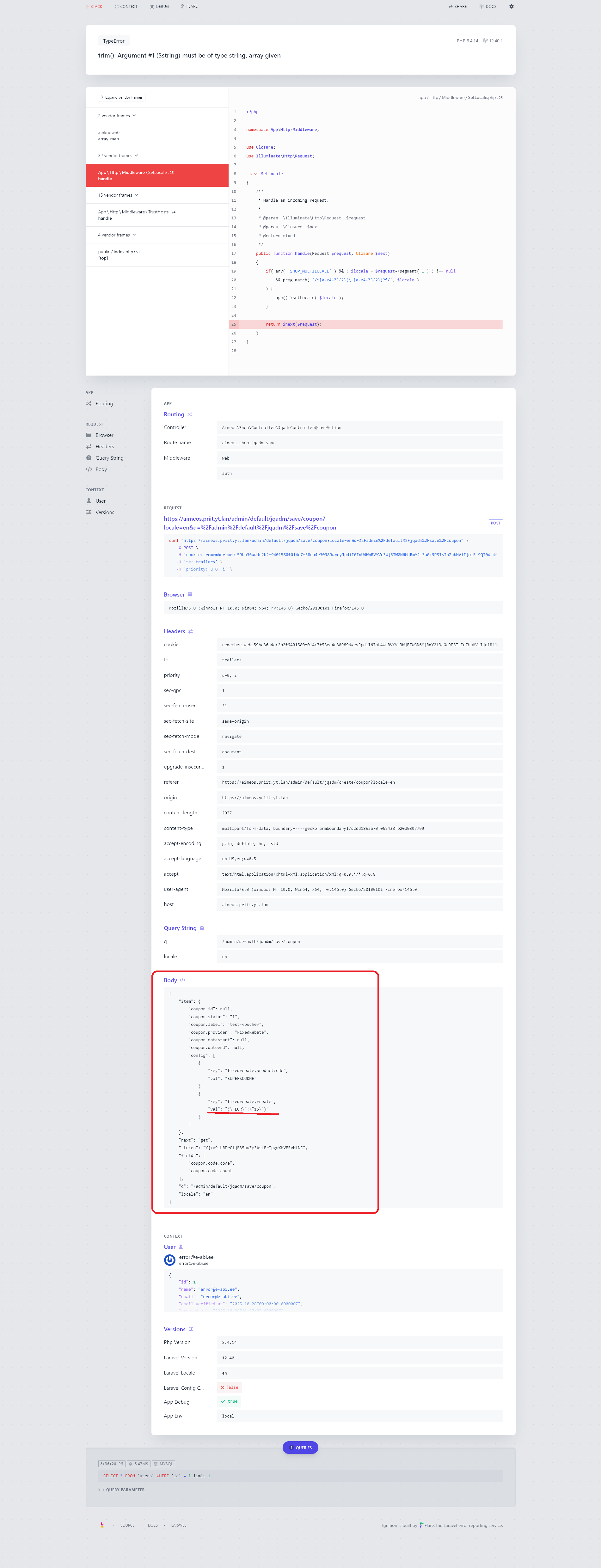
It looks like, the application tries to make json_decode and then trim the resulting value.
Since the json_decoded value is not string, then the error is thrown.
Screenshot:

Since the json_decoded value is not string, then the error is thrown.
Screenshot:

Re: Coupon codes issue
Fixed that problem in aimeos/ai-admin-jqadm:2025.10.x-dev.
Can you check if it works for you too now?
Can you check if it works for you too now?
Professional support and custom implementation are available at Aimeos.com
If you like Aimeos, give us a star
If you like Aimeos,
give us a starRe: Coupon codes issue
Now it worked. Thank you!aimeos wrote: 15 Jan 2026, 14:23 Fixed that problem in aimeos/ai-admin-jqadm:2025.10.x-dev.
Can you check if it works for you too now?
Re: Coupon codes issue
Discovered another wierd issue with the coupons.
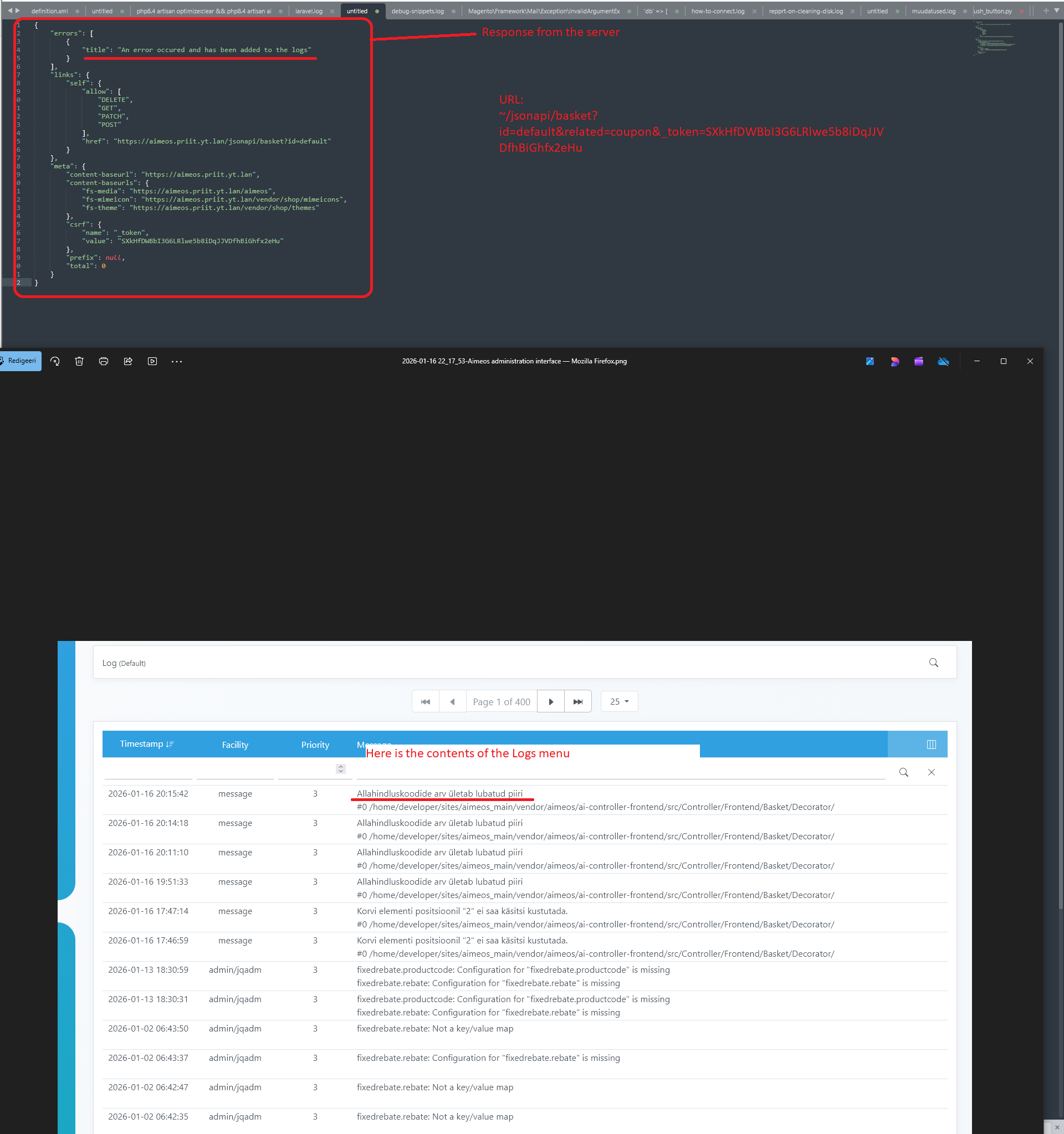
Everything almost works, but when I try to add the coupon to the cart, that is already applied to the cart, I get HTTP500 error.
Why can't it be HTTP409 error, then I can get the message back and reflect it to the customer (like with a product that is out of stock or a coupon that does not exist).
Here is the screenshot of what is going on:

Everything almost works, but when I try to add the coupon to the cart, that is already applied to the cart, I get HTTP500 error.
Why can't it be HTTP409 error, then I can get the message back and reflect it to the customer (like with a product that is out of stock or a coupon that does not exist).
Here is the screenshot of what is going on: